Picoprod Picoprod
Production Tracking · Animation & VFX

Your production deserves better
than a spreadsheet.

Picoprod gives your animation or VFX team full visibility on shots, assets, tasks and budget — without the complexity or cost of enterprise studio software.

The sweet spot between Google Sheets and dedicated studio software — powerful, instant, private.

Spreadsheets Picoprod Enterprise software
100%
Local · No cloud
0
Install required
Shots & tasks
10+
PDF report types
3
Languages
Why Picoprod?
The right tool for independent studios

Spreadsheets

Free & familiar
No version tracking
No Gantt or Kanban
No shot management
Breaks with the team
No PDF reports

Picoprod ✦

Free core — $49 Pro
Full version tracking
Gantt, Kanban, List
Shots & Assets pipeline
Smart Merge for teams
10+ PDF report types

Enterprise software

$300–600/user/year
Full version tracking
Advanced planning
Full pipeline
Requires IT setup
Overkill for small teams
Dashboard

Know the health of your production in 3 seconds

As a supervisor or production coordinator, you need the full picture at a glance. The Picoprod dashboard aggregates every department in real time.

Stop flying blind

No more chasing artists on Slack to know if a shot is done. The dashboard shows global progress, late tasks and department bottlenecks — updated instantly.
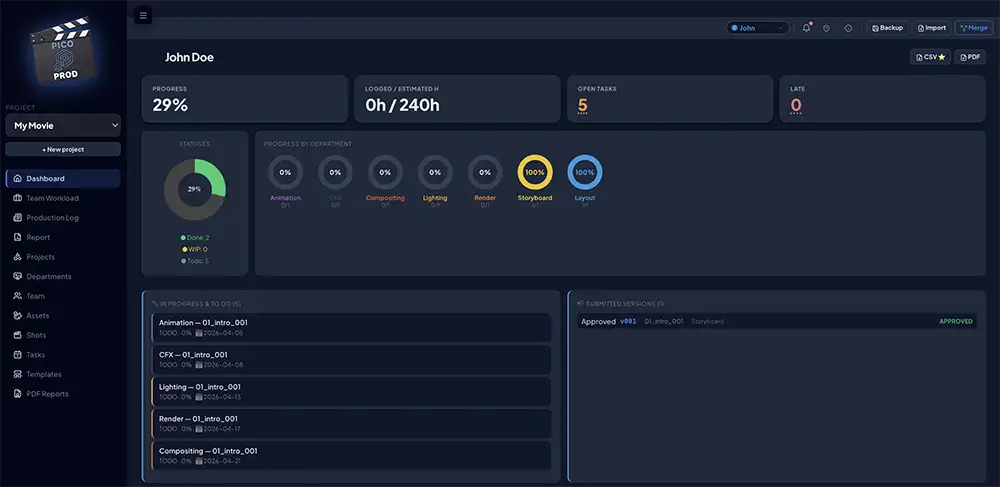
  • KPI tiles: progress %, open tasks, late tasks, logged hours — all clickable
  • Department pie charts: DONE / WIP / TODO per department at a glance
  • Artist login: each team member sees their own personal dashboard
  • My Day: today's active tasks sorted by urgency
  • Budget burn rate — planned vs actual costs ⭐ Pro
Picoprod production dashboard
Planning Views

A schedule that bends to reality

A CG production is never linear. Drag, stretch, cascade — reschedule sequences without breaking your pipeline dependencies.

Gantt · Kanban · List

Switch between three views with a single keystroke. Every filter works across every view — department, artist, shot, asset.
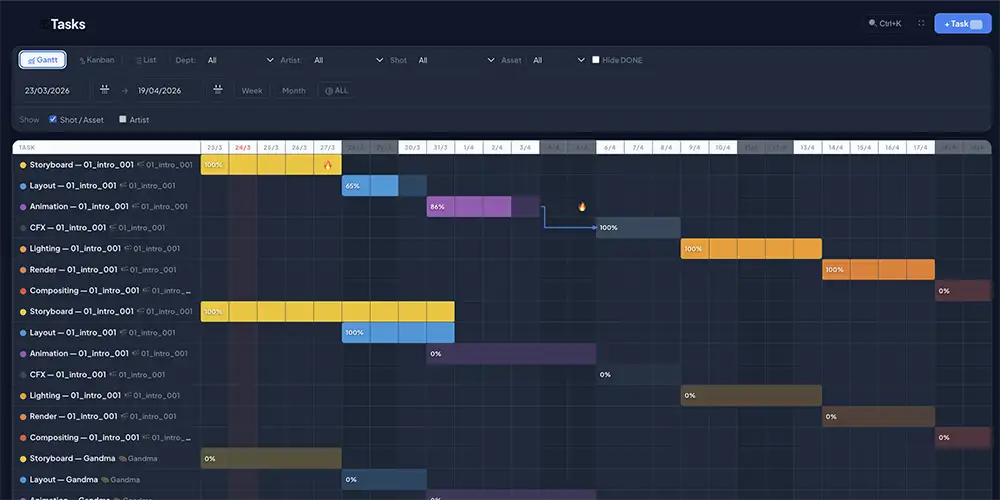
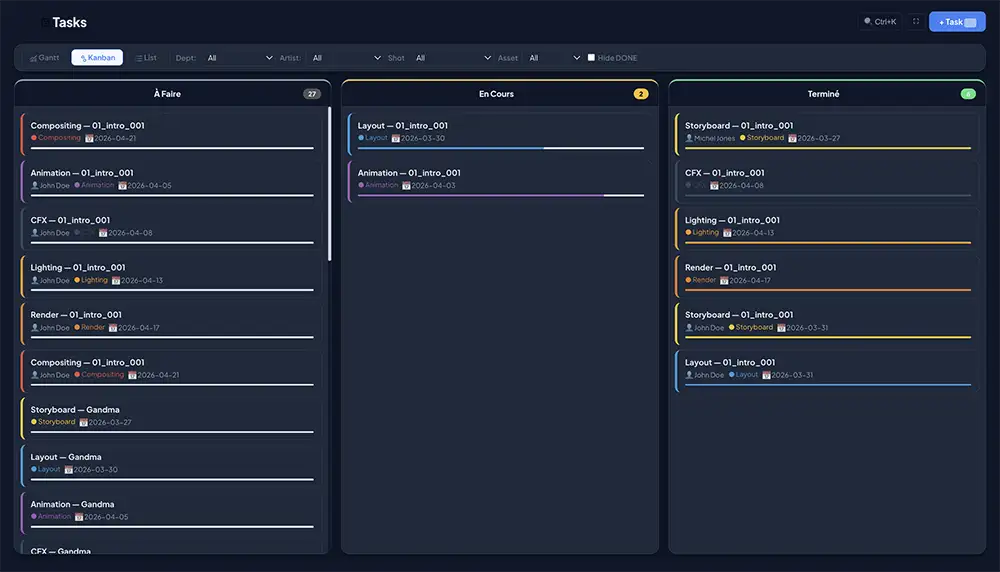
  • Interactive Gantt: drag bars to move tasks, pull edges to resize
  • Auto-cascade: shift dependent tasks automatically when something moves
  • Dependency arrows update in real time
  • Kanban for dailies — drag & drop between TODO / WIP / DONE
  • Configurable working days — off days shown in grey
  • Milestones with hover tooltip on the Gantt
  • Presentation mode — fullscreen Gantt for client meetings
Interactive Gantt chart Kanban view
Shots & Sequences

Every shot tracked. Every version logged.

Stop losing retakes in email threads. Each shot has its own info panel — versions, statuses, media links and file paths in one place.

From storyboard to final delivery

Submit versions per shot per department. Supervisors review, approve or request retakes. Artists see their feedback on their personal dashboard.
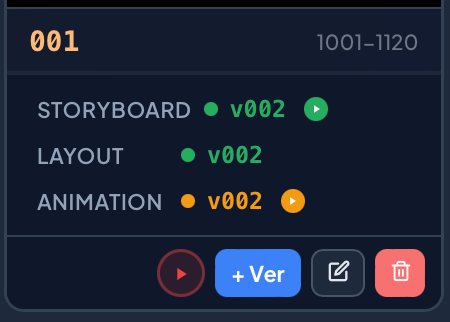
  • Version history per department — Storyboard, Layout, Animation, Comp…
  • Statuses: Pending, CBB, Approved, Omit, Retake
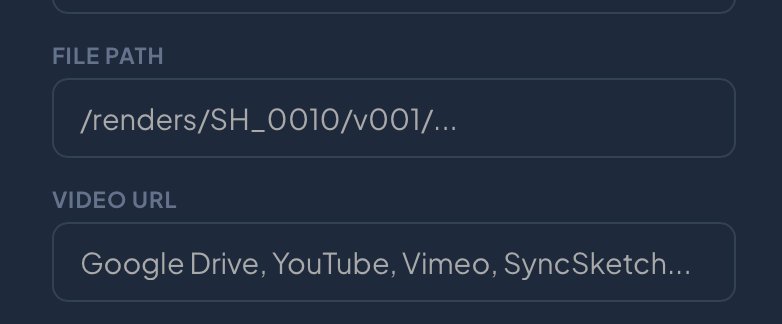
  • Video URL — paste a Google Drive, Vimeo or SyncSketch link directly on a version
  • ▶ Play button coloured by review status on every card
  • File paths — open your Maya or Nuke scene in one click
  • Thumbnails from Google Drive or Dropbox ⭐ Pro
Shot card with play button File path and video URL fields

Full shot overview

List and card views give your team instant visibility on every sequence. Filter by department, status or asset — find any shot in seconds.

  • Sequences with completion % calculated from tasks
  • Linked assets per shot
  • List and card views — switch at any time
  • Hover on any version for instant highlight
Shots list view
Asset Management

Your single source of truth for every asset

Dozens of characters, props and environments. Picoprod structures your asset library so artists always find the right version instantly.

From concept to final approval

Every asset has a full version history per department, custom metadata fields and optional reference thumbnails — all visible in a clean gallery.
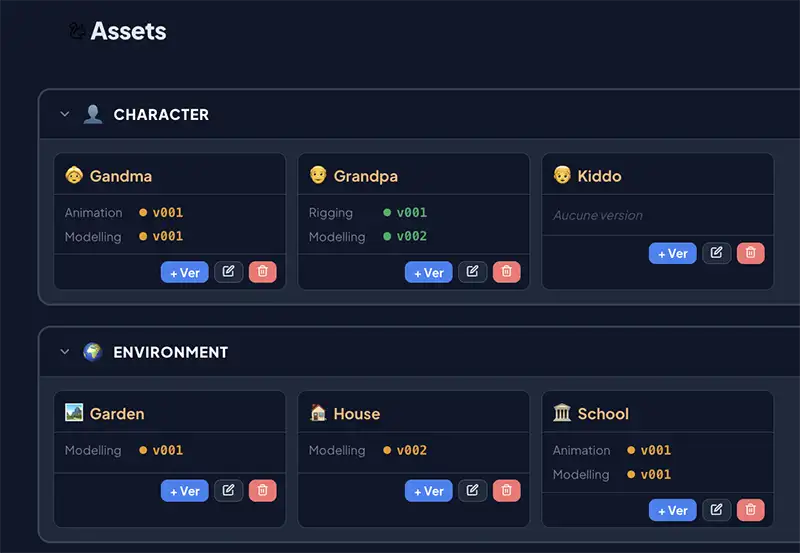
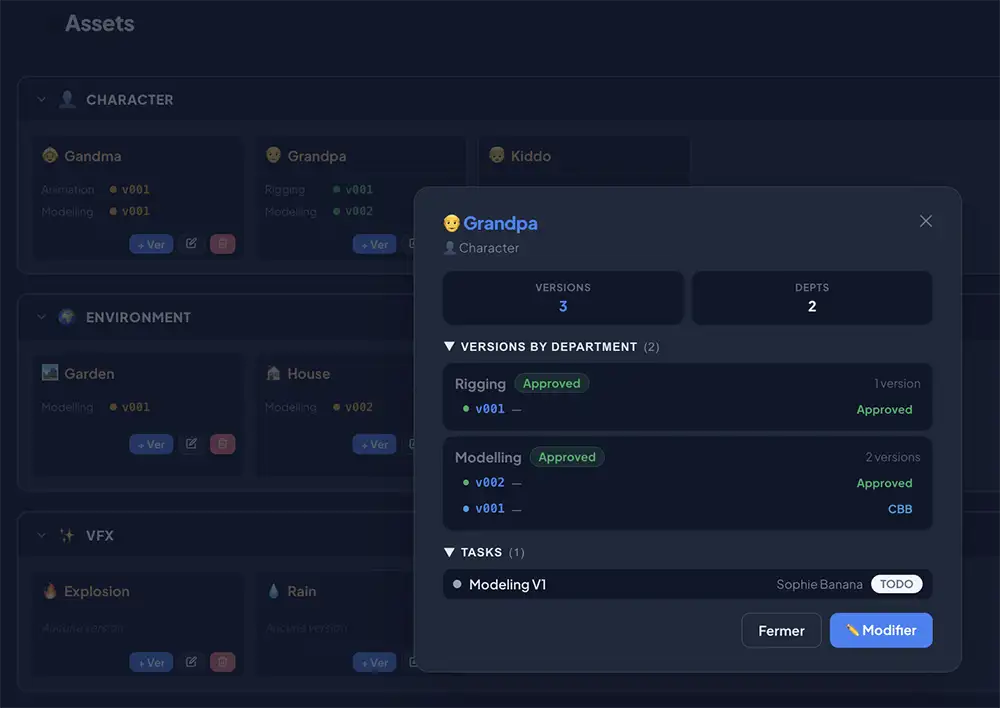
  • Custom types: Characters, Props, Environments, VFX caches…
  • Custom fields: add your own metadata (Polycount, Rig version, UDIMs…)
  • Version history per department — Modelling, Rigging, Texturing…
  • Gallery view — visual navigation for art direction
  • Thumbnails linked from Google Drive or Dropbox ⭐ Pro
Asset gallery view Asset info panel
Task Management

Every task connected to your pipeline

Create tasks linked to shots or assets, assign artists, set dependencies, log hours and apply pipeline templates in one click.

From template to delivered shot

Define your pipeline once as a template — Storyboard → Layout → Animation → CFX → Lighting → Render → Comp. Apply it to any shot or asset in one click.

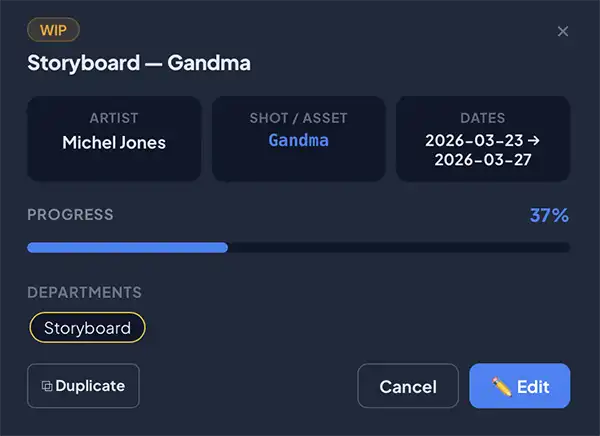
  • Pipeline templates with automatic dependency resolution
  • Estimated vs logged hours — track your team's velocity
  • Progress slider — update % directly from the task info panel
  • Milestones visible on the Gantt
  • Duplicate tasks for similar work
  • @mention teammates in production journal notes
Task creation form Task info with progress slider
Budget module ⭐ Pro

Know your burn rate before it's too late

Set day or hour rates per artist and department. Costs are calculated automatically from your task hours — no spreadsheet, no manual entry.

Budget KPIs — Planned, Actual, Total, Remaining

Planned vs Actual, live

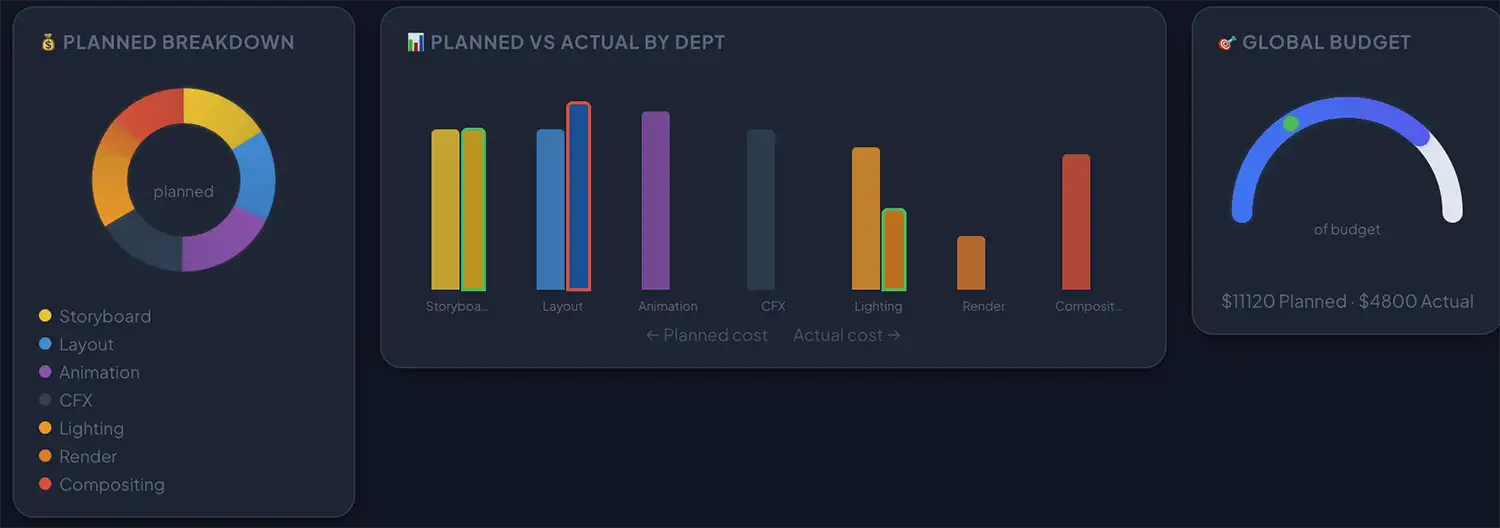
Picoprod compares your budget forecast (from estimated hours) against your actual spend (from logged hours) — updated every time an artist logs time.
  • Rates by artist — priority over department rates
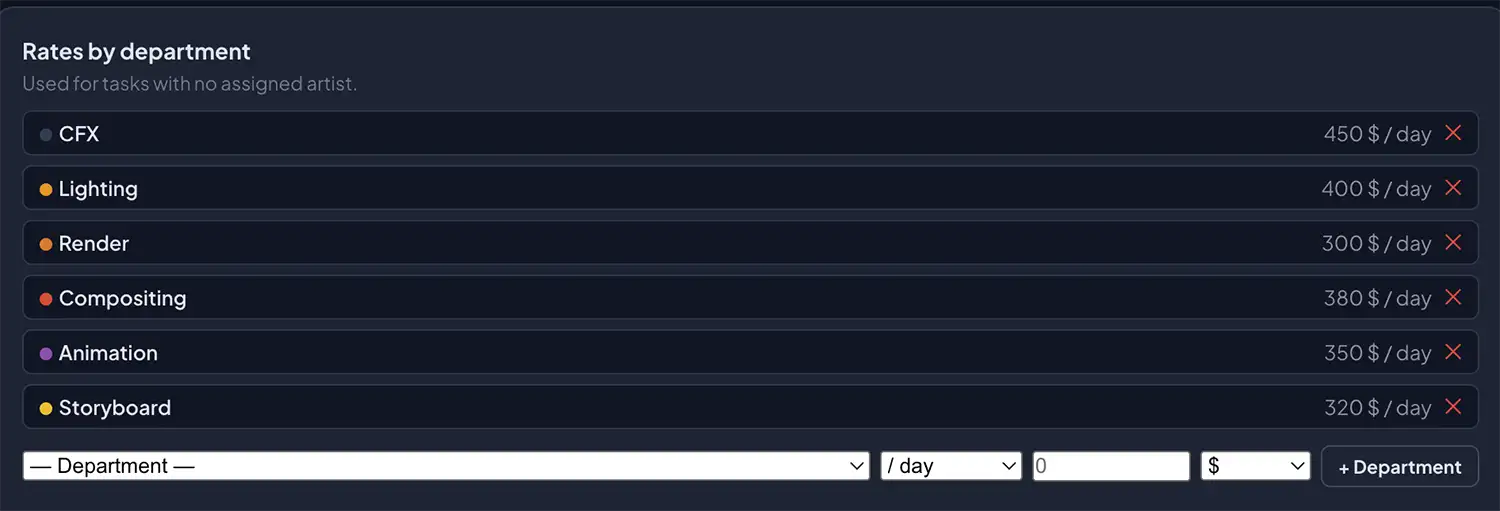
  • Rates by department — fallback for unassigned tasks
  • Donut chart: planned budget breakdown by department
  • Bar chart: Planned vs Actual — green outline under, red if over
  • Global gauge: % of total budget consumed
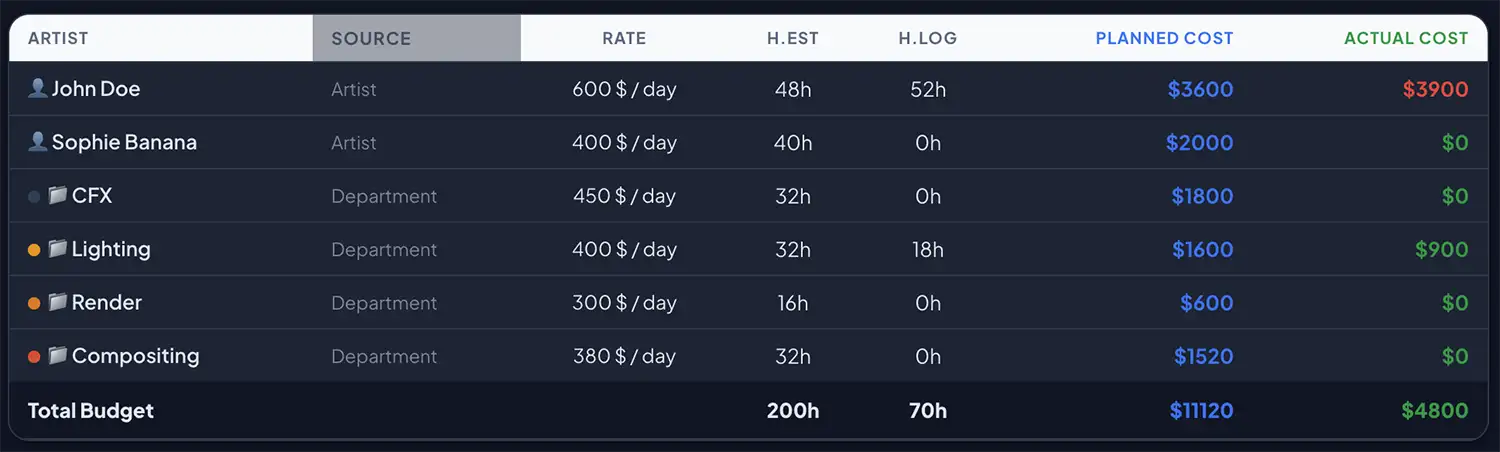
  • Detailed table: H.Est, H.Log, Planned cost, Actual cost per artist & dept
  • Export: PDF with charts, CSV, separate budget backup
Budget charts — donut, bars, gauge

Rates by department

Department rates setup

Cost breakdown table

Budget cost breakdown by artist and department
Customisation

Built for your pipeline, not someone else's

Every studio is different. Picoprod adapts to your workflow — custom departments, asset types, shot fields and review statuses, all configured in Settings.

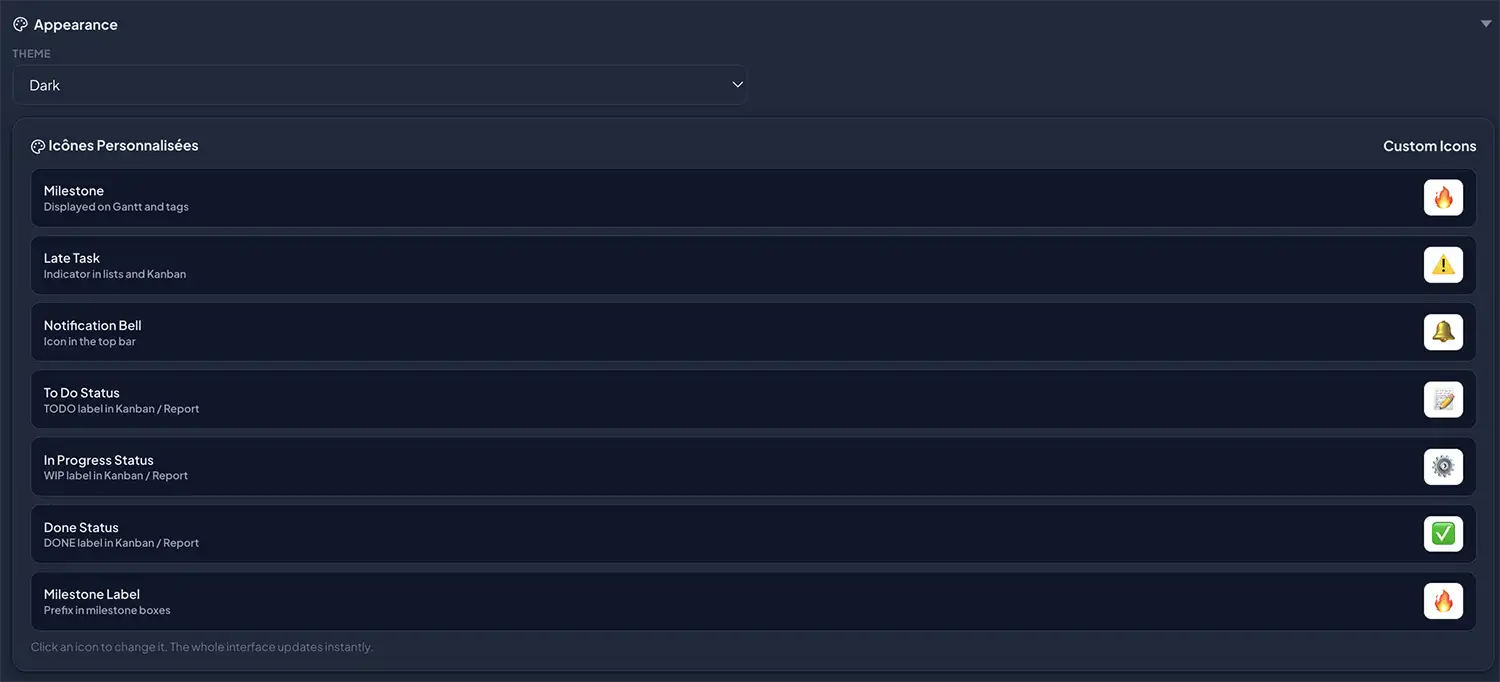
Custom icons & appearance ⭐ Pro

Custom icons for Gantt milestones, task statuses and UI elements

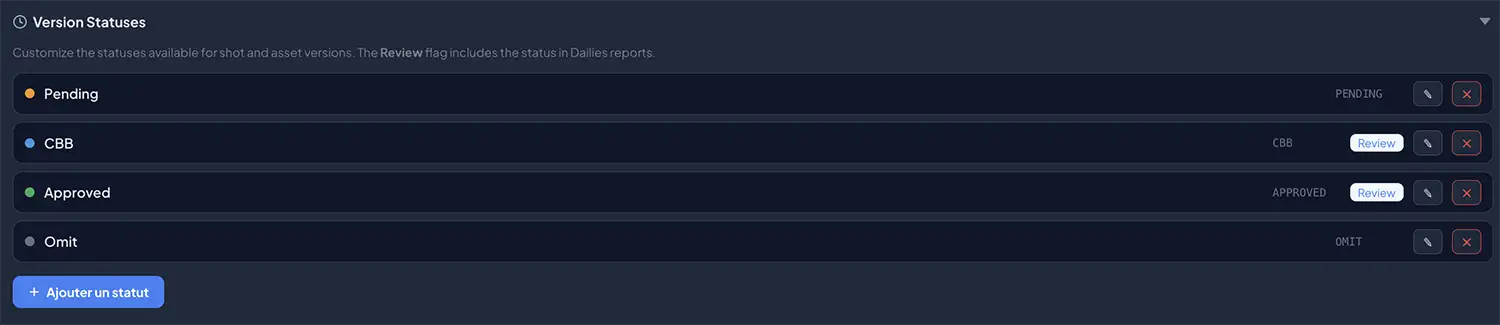
Custom version statuses

Customisable version statuses with review flag

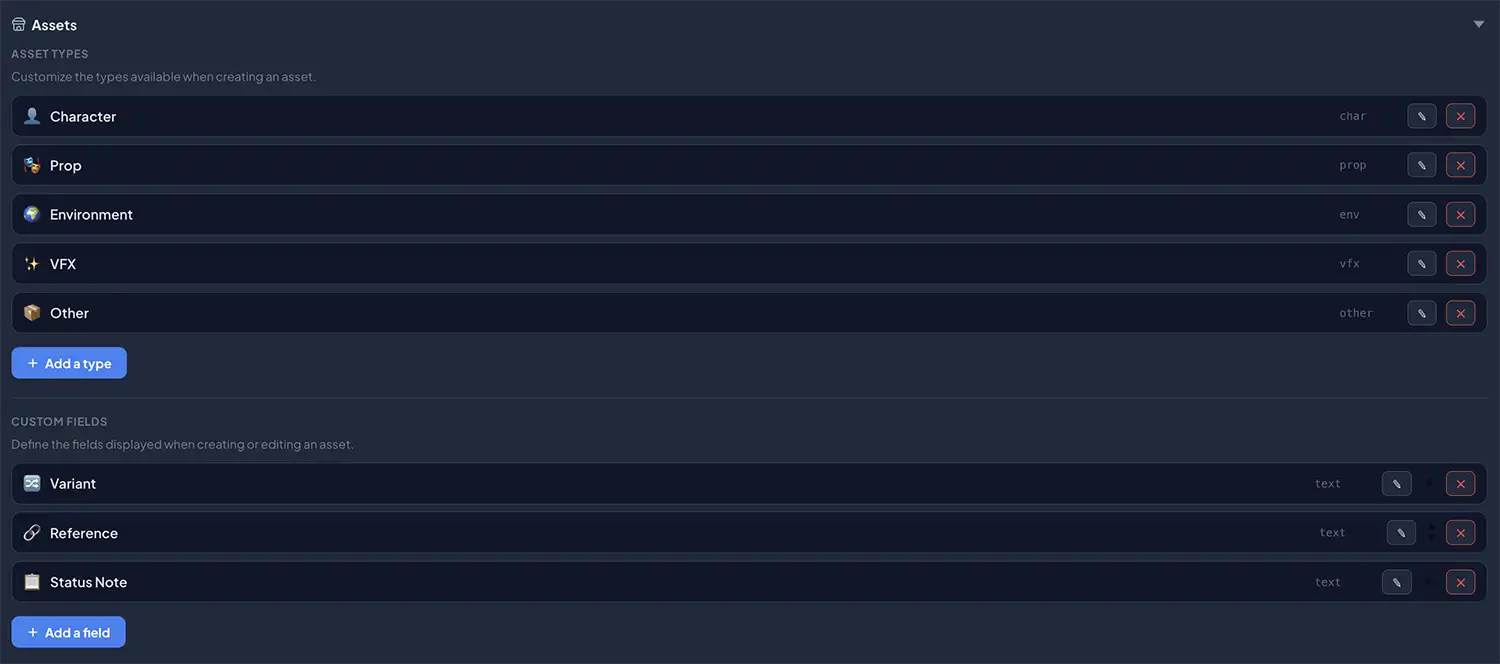
Asset types & custom fields ⭐ Pro

Custom asset types and fields

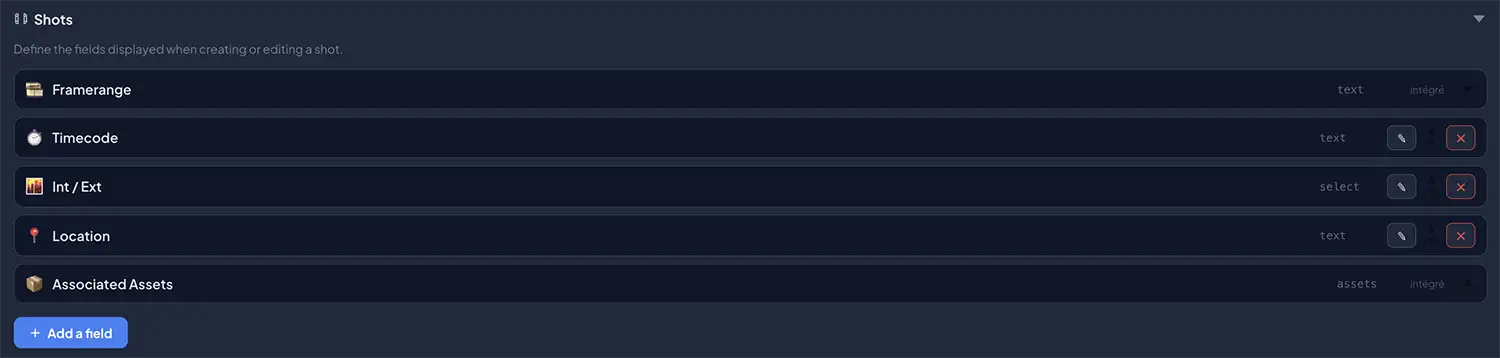
Shot custom fields

Custom fields for shots

Every detail fits your studio

Configure Picoprod once in Settings and it becomes your own tool — not a generic tracker you need to work around.

  • Custom departments — Animation, CFX, Lighting, Layout, Rigging… add any dept with its own colour
  • Custom asset types — Characters, Props, FX caches, Vehicles, Matte paintings… ⭐ Pro
  • Custom fields for shots — Framerange, Timecode, Int/Ext, Location — add your own
  • Custom fields for assets — Variant, Polycount, UDIMs, Reference — define what matters to you ⭐ Pro
  • Custom version statuses — Pending, CBB, Approved, Omit — rename or add statuses with a Review flag
  • Custom icons — replace Milestone, Late Task, TODO/WIP/DONE emoji with any icon ⭐ Pro
  • Pipeline presets — apply a dept preset (Animation, VFX, Live Action…) to start in seconds
Everything is configurable in Settings
🎨 ThemesLight · Dark · Mono
🏢 DepartmentsName · Colour · Preset
📦 Asset typesLabel · Emoji ⭐ Pro
🎞️ Shot fieldsText · Select · Assets
🔖 Version statusesLabel · Colour · Review flag
🎯 Custom iconsMilestones · TODO/WIP/DONE ⭐ Pro
Pricing

One-time payment · No subscription

Picoprod is free for the core workflow. Pro unlocks the features studios need — paid once, used forever.

Free

$0 / always
For students, freelancers and small projects
  • Unlimited projects, shots, assets, tasks
  • Gantt, Kanban & List views
  • Version tracking per shot & asset
  • Video URL + ▶ play button on cards
  • Pipeline templates
  • Production journal with @mentions
  • Smart Merge team collaboration
  • PDF reports (with watermark)
  • 3 languages — FR · EN · ES
RECOMMENDED

Pro ⭐

$49 / one-time payment
For studios and production professionals
  • Everything in Free, plus:
  • Budget module — live charts, CSV & PDF export
  • Studio logo on all PDF reports
  • No watermark on exports
  • Thumbnails for shots & assets
  • Custom department icons on Gantt
  • Unlimited custom asset types & fields
  • Dark theme
  • Key sent by email via Gumroad

Try Picoprod in 2 minutes — no sign-up

Load the demo project and explore every feature. No account, no credit card, no download. Just open the app.