Interactive Gantt
Visualize your entire production on a timeline. Zoom by week or month, instantly spot scheduling conflicts.
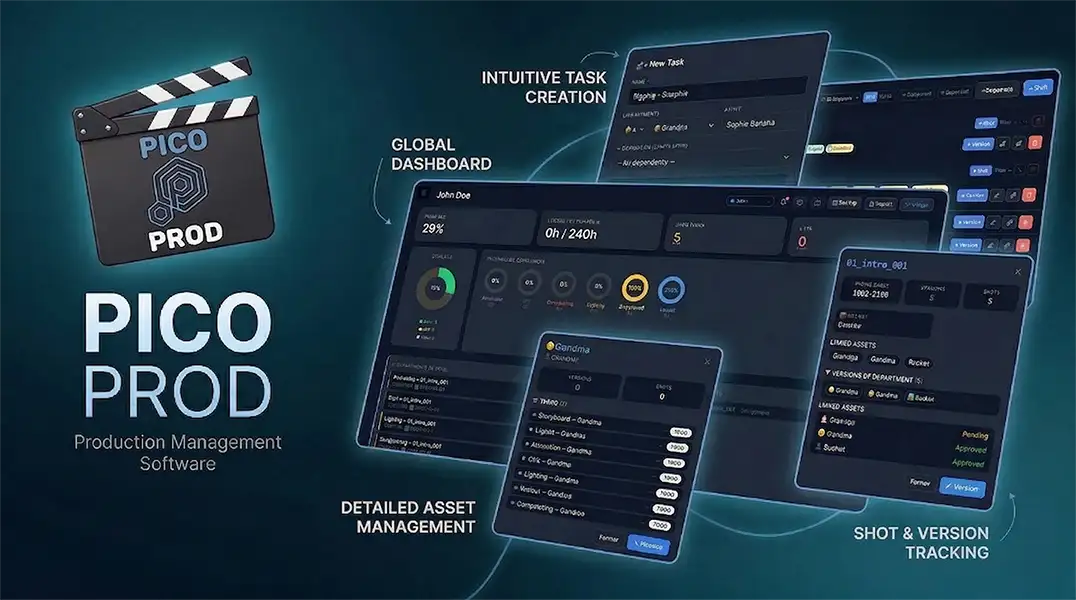
Plan your shots, manage your team, track your pipeline end to end. Interactive Gantt, Kanban, workload heatmap, production log — all in one tool.
No install · Works offline · Mac, PC, Linux
Built by production professionals for 3D, 2D, VFX and motion design studios. Compatible with Maya, Blender, Houdini and Unreal Engine pipelines.
Visualize your entire production on a timeline. Zoom by week or month, instantly spot scheduling conflicts.
Drag tasks between TODO, WIP and DONE with a simple drag-and-drop. Status change history is automatically recorded.
See at a glance who is overloaded and who has availability. Per artist, per day, with configurable capacity threshold.
Create your pipeline once (Model → Rig → Anim → Light → Compo) and apply it to every shot in one click. No more manually creating tasks.
Write notes, comment, mention artists and tasks with @. All production decisions tracked in a chronological feed.
Select 50 tasks, change their status or assign them to an artist in a single action. Essential at sprint end.
Link every task to a shot or asset. Click any entity to see all its relationships in a side panel.
Generate a full report in one click — KPIs, late alerts, progress by department, artist summary. Printable directly.
Interface available in French, English and Spanish. Switch language instantly from the settings.
No installation, no account needed. Open the tool and start working.
Name your production, add your departments (Animation, Rig, VFX…) and team members.
Create your shots and assets, or use a pipeline template to generate all tasks at once.
Assign tasks, set dates, visualize progress on the Gantt or Kanban in real time.
Late alerts, workload heatmap and production log keep you in control through to delivery.
Professional studio tools cost $25–30 per user per month. Picoprod is built for small teams and independents — no sign-up, data stays with you.
| Feature | ⭐ Picoprod Free |
🌟 Picoprod Pro 49$ une fois |
Studio tools ~$25-30 /user/mo |
General tools ~$8-15 /user/mo |
|---|---|---|---|---|
| Gantt & Kanban | ✓ | ✓ | ✓ | ✓ |
| Built for 3D / VFX | ✓ | ✓ | ✓ | ✗ |
| Pipeline templates | ✓ | ✓ | ✓ | ✗ |
| Team workload heatmap | ✓ | ✓ | ✓ | ✗ |
| Log & @mentions | ✓ | ✓ | ✓ | ✓ |
| Works offline | ✓ | ✓ | ✗ | ✗ |
| No sign-up required | ✓ | ✓ | ✗ | ✗ |
| Watermark-free PDF | — | ✓ | ✓ | ✗ |
| CSV / Excel export | — | ✓ | ✓ | ✗ |
| Studio logo (white label) | — | ✓ | ✓ | ✗ |
| Starting price | Free | One-time $49 | ~25-30 $/user/mois | ~8-15 $/user/mois |
Everything you need to know before getting started.
Yes! Picoprod is available for free with all the essential features: Gantt, Kanban, shot tracking, assets, team, production log and PDF export.
A Pro version at $49 (one-time payment) unlocks advanced features: dark mode, image thumbnails, CSV/Excel export, custom icons and statuses, studio logo (white label).
🎯 The free version is already very complete for an indie studio or freelancer.
Absolutely. Picoprod runs 100% locally in your browser. No data is sent to a server. Your projects, shots, teams — everything stays on your machine.
💡 Export a backup regularly via the global bar → Backup to avoid losing anything.
Yes. Once the page is loaded, Picoprod works entirely offline. Ideal for studios with network restrictions or working on the go.
Picoprod is designed for small and medium teams:
From the global bar → Backup, download a .txt file containing all your projects. This file can be shared with a colleague or imported on another computer in one click.
⚠️ Changes do not sync in real time — exchange the file on each important update.
Yes. Picoprod is available in three languages: French, English and Spanish. Switch language at any time without losing your data.
Yes! Picoprod is in active development. Your feedback directly guides upcoming features. Contact us:
Picoprod is developed independently, with passion. Your support and feedback make a real difference.
A bug, an idea, a feature suggestion? All requests are personally read. We reply.
If Picoprod saves you time, a small contribution helps fund upcoming features and keep the tool alive.
Buy a coffee ☕
Join the studios and freelancers using Picoprod to deliver their projects on time.
No sign-up · Local save · Private data
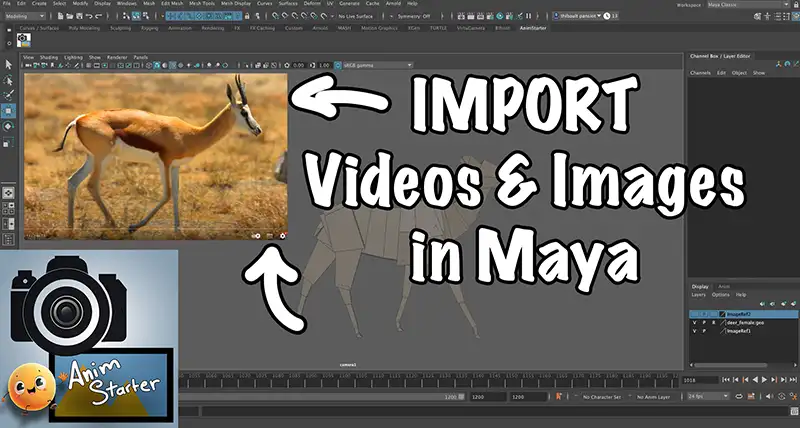
Manage your visual references directly in your viewport, easily. The perfect tool for your animations in Maya.
picoprod
 Dashboard
 Charge Équipe
 Journal de Prod
 Rapport
 Projets
 Départements
 Équipe
 Assets
 Shots
Shots Planning
 Templates
 Budget
 Rapport PDF
 Paramètres Charge Équipe Journal de Production Templates de Pipeline Rapport de Production Projets Départements Équipe Assets Shots
Tâches WIP & TODO · Échéances · Feedbacks journal
Versions APPROVED & CBB · Notes superviseur
Toutes les versions d'un shot par département
Historique de versions d'un asset par département
KPIs · Tâches · Shots · Ratio heures · Retards
PDF paysage haute résolution pour réunions de prod
Planning ParamètresEntrez votre clé de licence Picoprod Pro pour supprimer le watermark sur les exports PDF. Obtenir une licence →
Partenaires
animstarter.comDes questions ? Du feedback ? On adorera vous entendre.
Chargement...
Utilisé pour les tâches sans artiste assigné.
Membre de l'Équipe Asset Shot Nouveau Template Appliquer le TemplateCochez les projets à inclure dans le fichier backup.
Le fichier importé contient le projet qui existe déjà dans Picoprod.
Que souhaitez-vous faire ?